How it works

A week with BAI.

From the Monday brief to a locked week on Friday. Here is what a normal week looks like when BAI does the routine work and you make the calls.

Day by day

Five moments in an ordinary week.

The panels below are illustrative, built with made-up sample data. They show the shape of each moment, not a real fleet.

  1. Monday, 6:30 a.m.

    The morning brief is waiting.

    Before the phone starts ringing, a short written summary tells you what happened overnight and what needs you today.

    • Loads moving and loads still to cover
    • Money coming in, and what is late
    • Papers that expire soon
    • One thing to do next
    Status: Pilot
    Morning briefIllustrative
    • 6 loads moving, 2 still need a truck
    • 3 invoices ready to send; 1 is 12 days late
    • Medical card for driver R. Ortiz expires in 9 days

    Do this next: assign a truck to load 2041

  2. Monday, mid-morning

    Book the load and send it.

    Enter the load or forward the broker’s email in. Pick the truck and the driver; BAI checks their papers first, then sends the dispatch package.

    • Rate confirmation attached to the load
    • Driver gets it in the app, or by text or email
    • An expired paper is flagged before the truck rolls
    Status: Pilot
    Load 2041Illustrative

    Hartford, CT → Albany, NY

    Truck
    Truck 104
    Driver
    D. Brooks
    Papers
    All current
    Sent by
    Text message link
    1. Book
    2. Assign & send
    3. Stops
    4. Proof
    5. Invoice
  3. Tuesday to Thursday

    On the road, without the check-in calls.

    Drivers open their stops from a link, share their position and send messages. Your customer gets a tracking link that shows status only.

    • Each position shows how fresh it is
    • Tracking links never show the rate, the driver or past loads
    • Links expire on their own
    Status: Pilot
    Driver link · Load 2041Illustrative
    1. Pickup · Hartford, CTDone 7:42 a.m.
    2. Delivery · Albany, NYNext · about 1 hr 50 min

    Last position 4 min ago

  4. The day it delivers

    Proof of delivery in, invoice out.

    The driver takes a photo of the signed proof of delivery (POD). The load moves to ready to bill, and you can send the invoice the same day.

    • POD, rate confirmation and receipts kept with the load
    • Anything unclear goes to a review queue
    • Invoice ready the moment the POD is in
    Status: Pilot
    Proof of deliveryIllustrative
    Photo · signed · 2:18 p.m.
    Invoice 1088Sample BrokerageReady to send today
    $2,150.00
  5. Friday afternoon

    Pay checked, books matched, week closed.

    Check each driver’s weekly settlement, match the payments that came in, finish what is missing, then lock the week.

    • Driver settlements to check and approve
    • Payments matched to invoices; short pays flagged
    • A payroll file and files for your bookkeeper
    Status: Pilot
    Week closeWeek 42 · sampleIllustrative
    • Driver pay checked
    • Paperwork complete
    • Invoices sent
    • Payments matched2 left

Getting started

Getting started in three steps.

No long setup project. Bring in what you have, invite the people who need it, and try one real week.

  1. Import your records

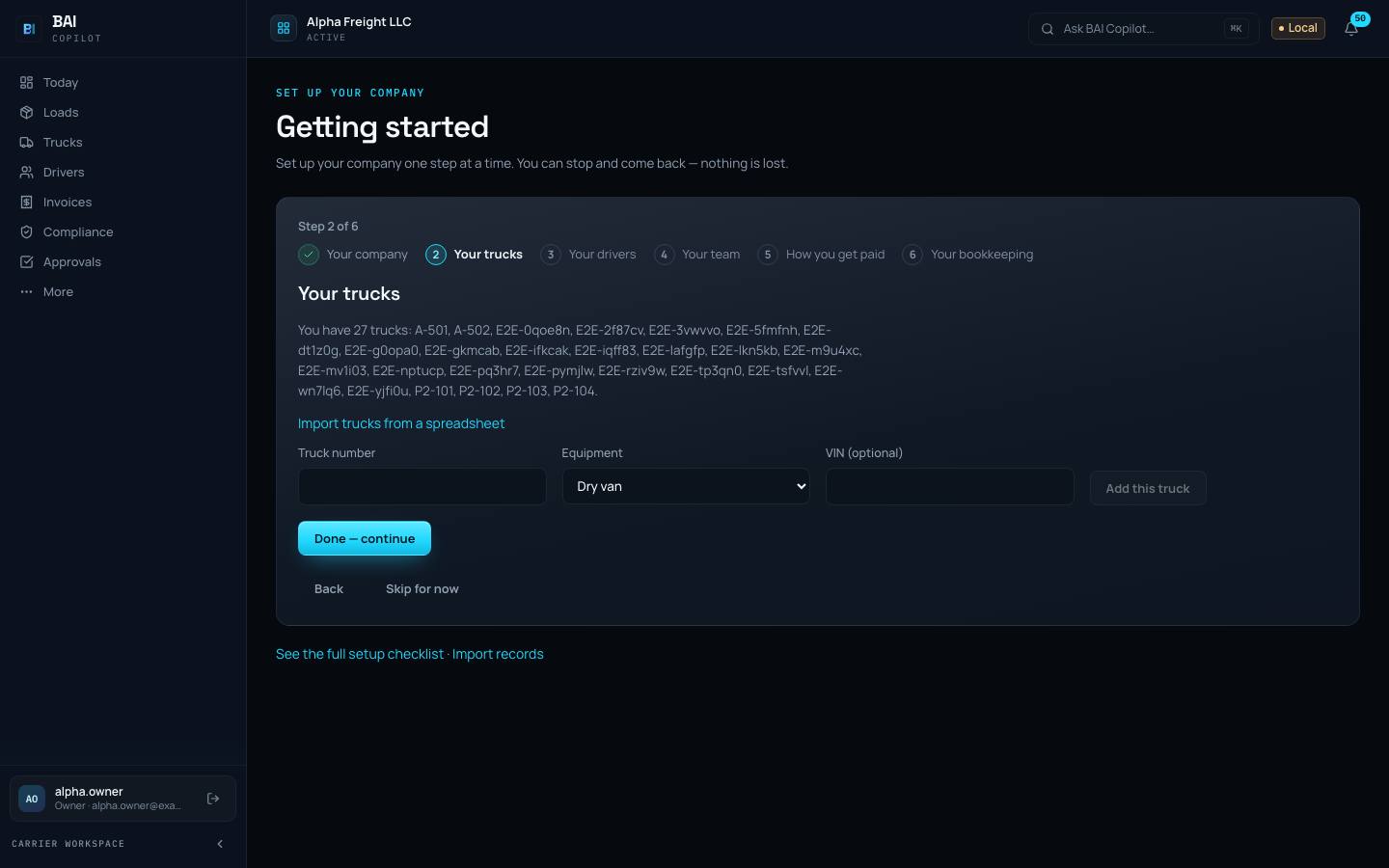
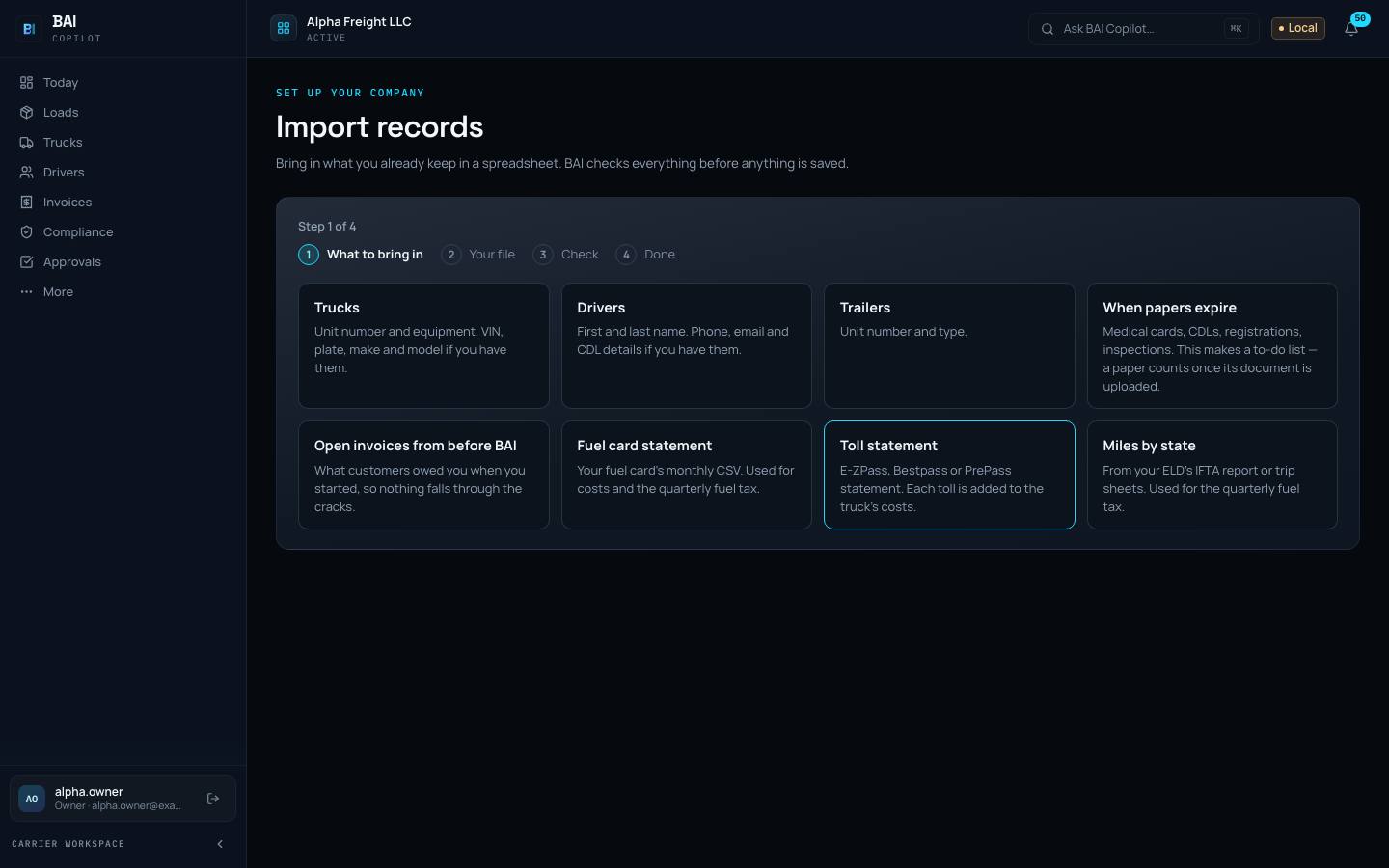
    Trucks, drivers, papers, open invoices, and fuel and toll statements, from the spreadsheets you already keep. A dry run shows every row before anything is created.

  2. Invite your people

    Owner, dispatcher, bookkeeper and drivers. Each one sees only what they need: drivers see their own loads, your bookkeeper sees the money.

  3. Run one week next to what you do today

    Keep your current way of working for a week and run the same week on BAI. Compare the two before you change anything.

The Getting started page in BAI Copilot at step 2 of 6, “Your trucks”, with a link to import trucks from a spreadsheet and buttons to continue or skip for now.Product screenshot · sample data
Getting startedSix short steps. Skip any and come back later.
The Import records page in BAI Copilot listing what you can bring in: trucks, drivers, trailers, paper expiry dates, open invoices, fuel card and toll statements, and miles by state.Product screenshot · sample data
Import recordsPick what to bring in. BAI checks every row before anything is saved.

Approvals

BAI prepares. A person decides.

BAI does the routine work up to the point where it matters. Anything that moves money or goes to someone outside your company waits in Approvals until a person says yes.

  • Driver settlements and payroll files
  • Invoices and reminders emailed to customers
  • Messages to brokers and outside contacts
  • Each item shows the evidence and exactly what would happen
  • If the action changes, it has to be approved again
Status: Pilot
Approvals3 waitingIllustrative
  • Money$1,840.00

    Driver settlement · D. Brooks

    Week 42 · 5 loads

  • Outside message

    Payment reminder to Sample Brokerage

    Invoice 1061 · 12 days late

  • Money$75.00

    Short pay write-off

    Invoice 1049 · paid $75.00 less

Connect gradually

Start with files. Connect when you’re ready.

Each of these works first from statement files, exports, forwarded emails or the driver app. Direct connections come one at a time, when you and the vendor are ready. Nothing connects to an outside service until you turn it on.

  • Fuel cards and tolls

    Status: Integration-dependent
    Works today
    Upload the fuel card or toll statement file. Duplicates are skipped.
    When connected
    Direct feeds from WEX, EFS and Comdata.

    Each charge is matched to a truck and a trip, and fuel feeds the quarterly fuel tax worksheet.

  • Load boards

    Status: Integration-dependent
    Works today
    Enter the load by hand, or forward the email in.
    When connected
    DAT and Truckstop connections.

    However a load arrives, it lands in the same list with the same next steps.

  • Accounting

    Status: Integration-dependent
    Works today
    Export files for your bookkeeper.
    When connected
    A direct QuickBooks Online connection, once activated.

    Your bookkeeper keeps their own system. BAI hands over clean files.

  • Factoring

    Status: Pilot
    Works today
    Factoring packets ready to send, and import of your factor’s funding report.

    File-based today: you send the packet and bring the report back in.

  • Email intake

    Status: Pilot
    Works today
    Forward broker emails in; BAI turns each one into a load for you to check.

    Nothing is booked until a person looks at it.

  • ELD and telematics

    Status: Integration-dependent
    Works today
    Positions come from the driver app. Miles by state can be uploaded from your ELD’s IFTA report.
    When connected
    Positions, hours of service and odometers from Motive, Samsara or Geotab.

    BAI is not an ELD (electronic logging device) and does not replace one.

  • Routing miles

    Status: Integration-dependent
    Works today
    Straight-line estimates, always labelled as estimates.
    When connected
    Practical truck miles from a routing service.

    Estimates are never shown as exact miles for pay or fuel tax.

  • Dispatch by text or email

    Status: Pilot
    Works today
    Drivers without the app get their load by text or email link.

    No app to install for drivers who will not use one.

Try one week on your own records.

A demo starts with your loads and your trucks. You see each step of the week, and the status of every piece, as it is today.